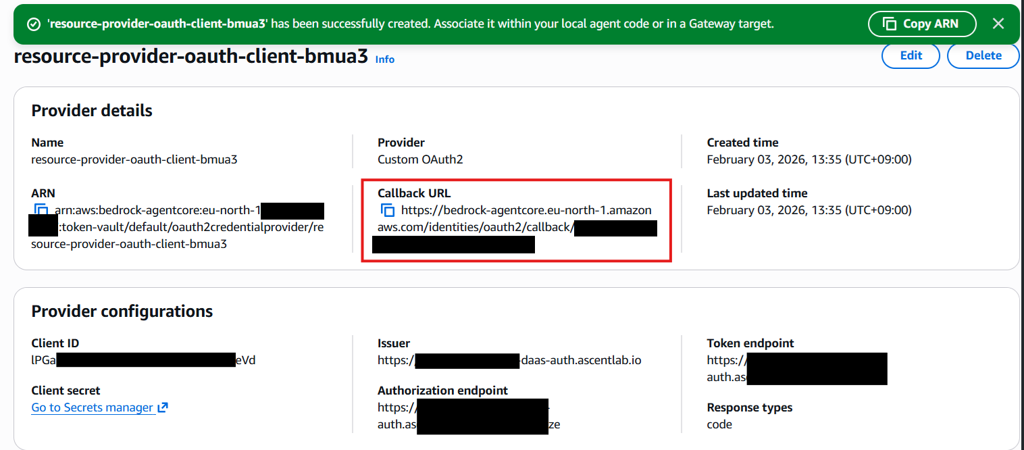
Amazon Bedrock AgentCore環境でListeningMind DaaS MCP Serverを連携する方法です。
Amazon Bedrock AgentCore + MCP Server 連携
Step 1. Gateway Targetの登録
AWS Bedrock AgentCore → Build → Gatewaysをクリック
- Target type → MCP Server を選択
- MCP endpoint:
https://listeningmind-daas-mcp.ascentlab.io
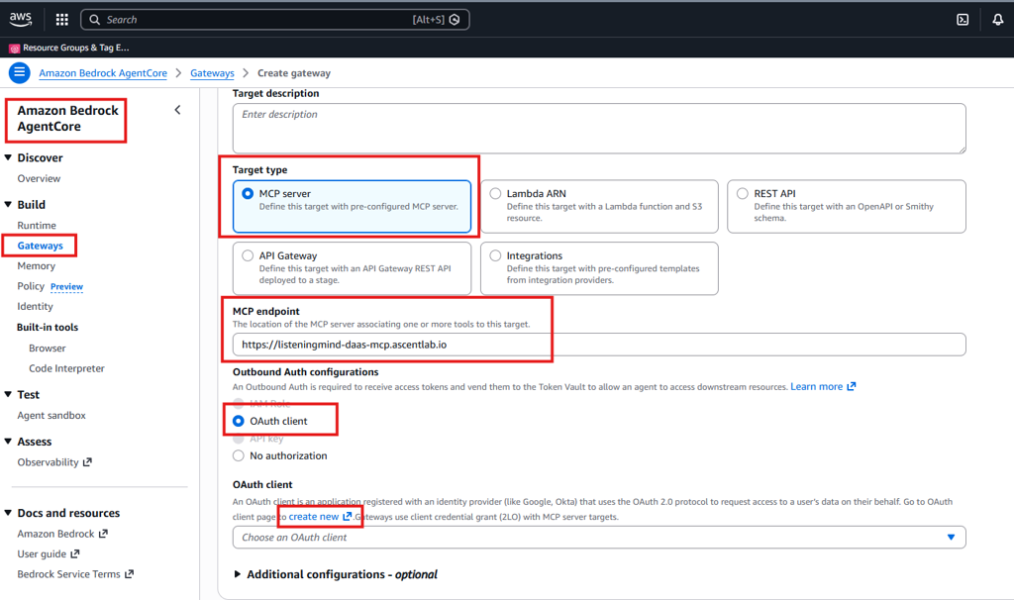
Step 2. Outbound Auth Configurationsの設定
- OAuth client を選択
- OAuth clientの作成のために create new をクリック
Step 3. Add OAuth Clientの入力
- Provider: Custom provider
- Configuration type: Manual config
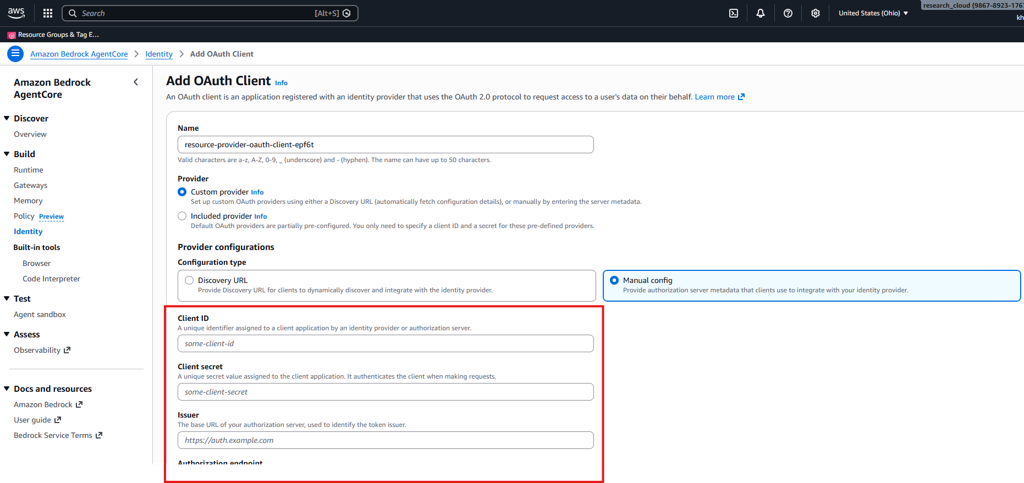
ListeningMindから発行された以下の情報を入力してください。
- Client ID
- Client secret
- Issuer
- Authorization endpoint
- Token endpoint
OAuth Client作成後、Callback URLをListeningMindにお送りいただくと設定が完了します。